Settle money with your people

Snap the receipt. Send a link. Everyone pays their part.

Splits reads the bill with AI. Your friends open the link in any browser and tap what they had. Tax and tip are split fairly.

No app for them. No limits for you. Free.

Download on the App Store

Android app coming soon. Get an email when it’s ready
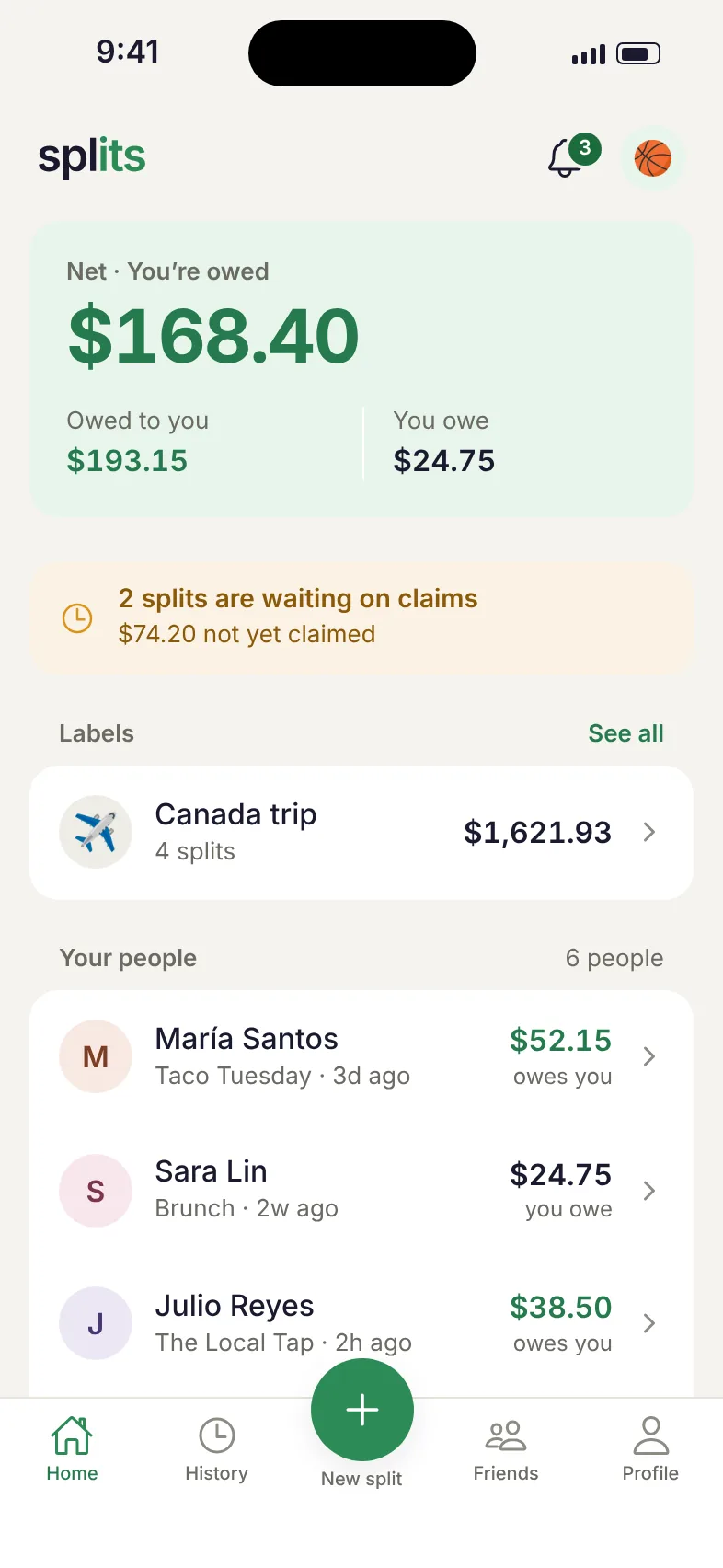
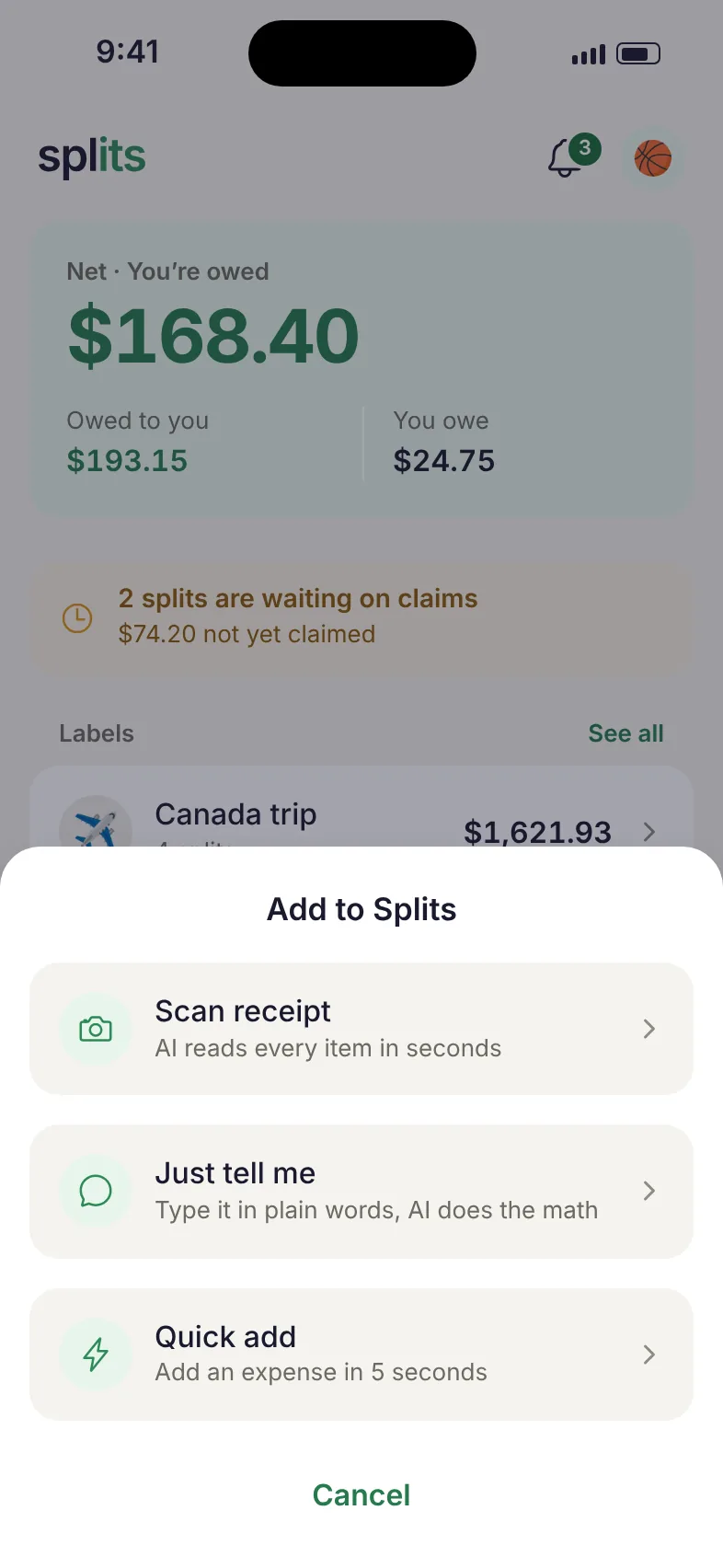
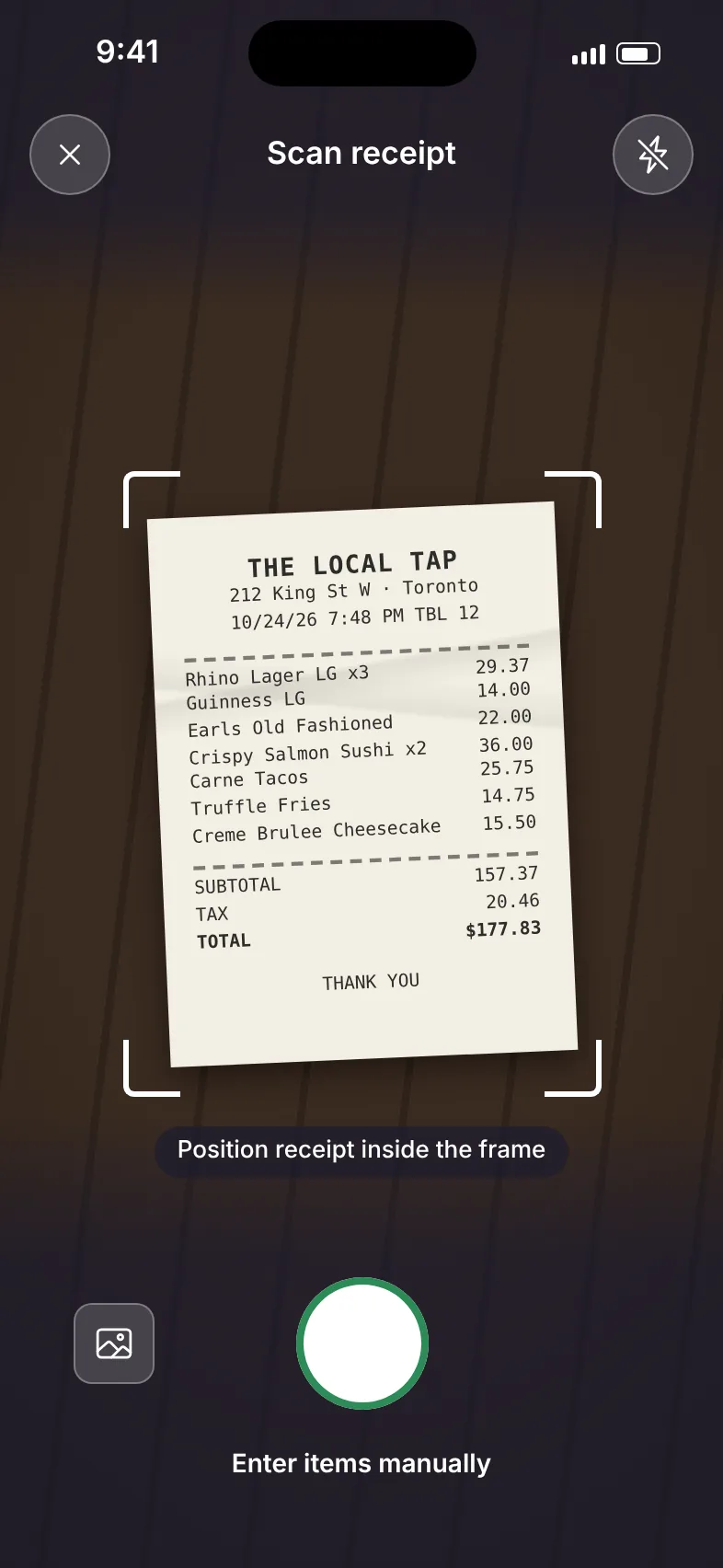
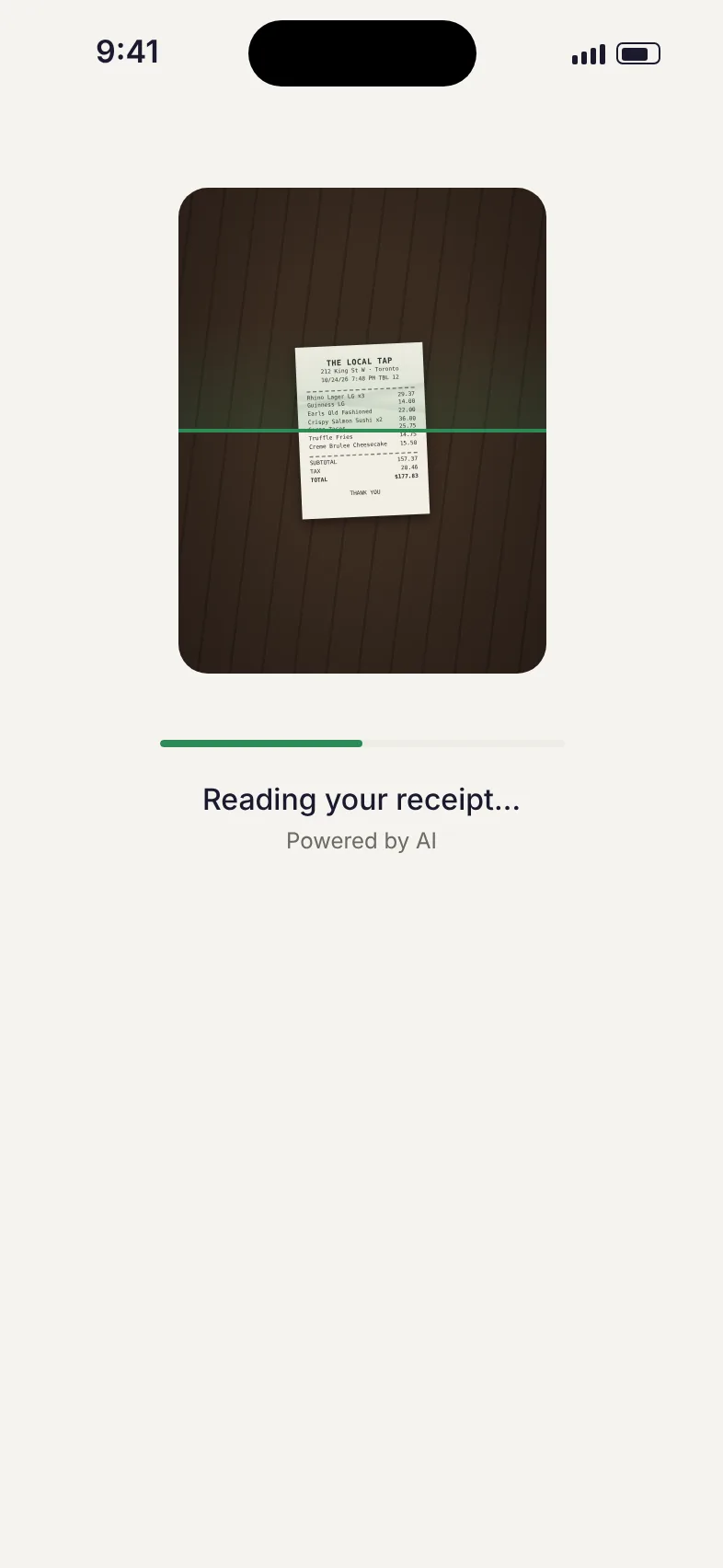
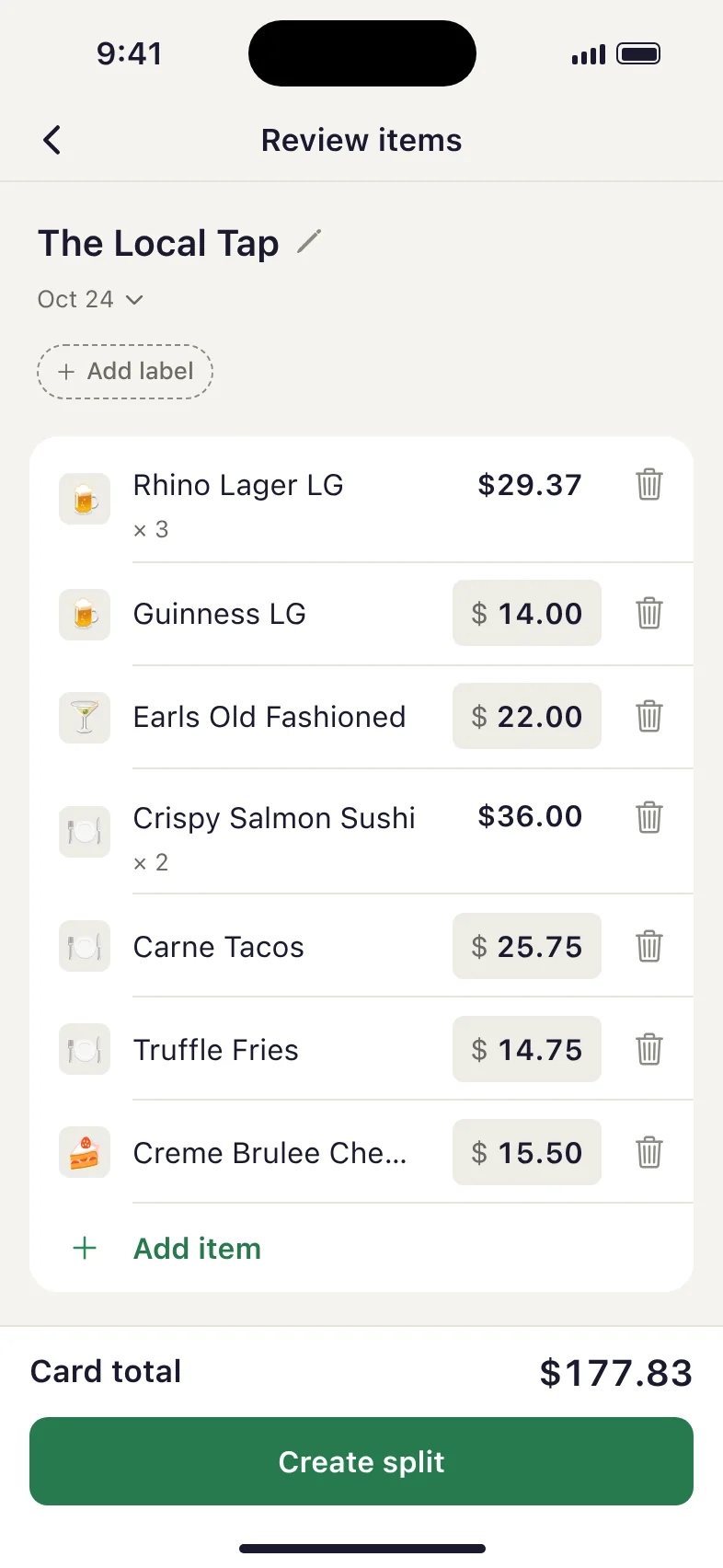
Splits home screen: your net balance, labels and the people you share with The add menu: scan a receipt, just tell me, or quick add The camera pointed at a restaurant receipt Splits reading the receipt with AI Step 1: the receipt, with every item read by AI Step 2: the split shared as a link Step 3: each person taps the items they had

How it works

From a photo to a fair split in three steps.

Receipt split

Snap any receipt and your group sorts it out from their own phones.

Review items screen with every receipt line read by AI
1

Snap a receipt

Take a photo and AI reads every item, price, tax, and tip in seconds. No manual entry.

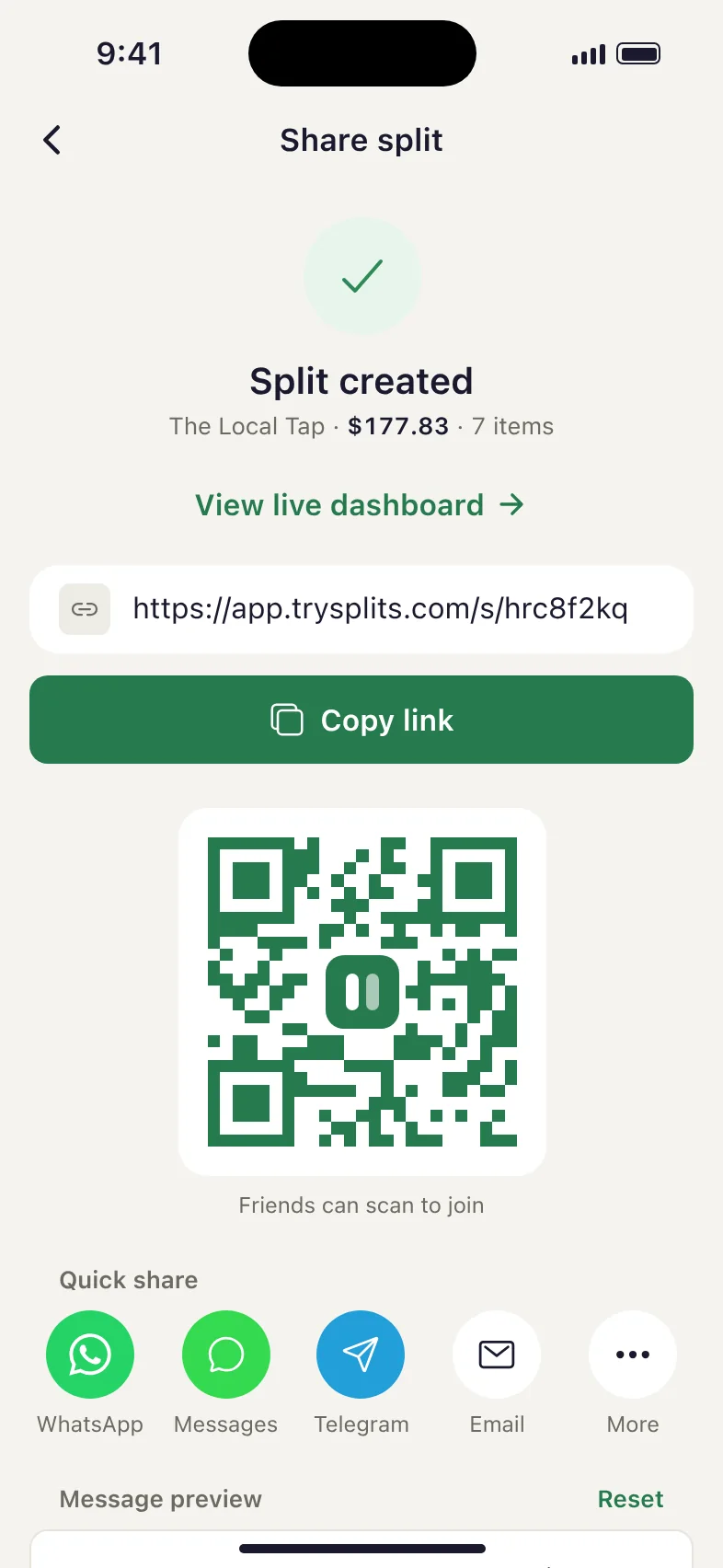
Share split screen with a link, QR code, and quick share options
2

Share a link

Send to your group via WhatsApp, text, anywhere. Friends open it in any browser. No app, no signup needed.

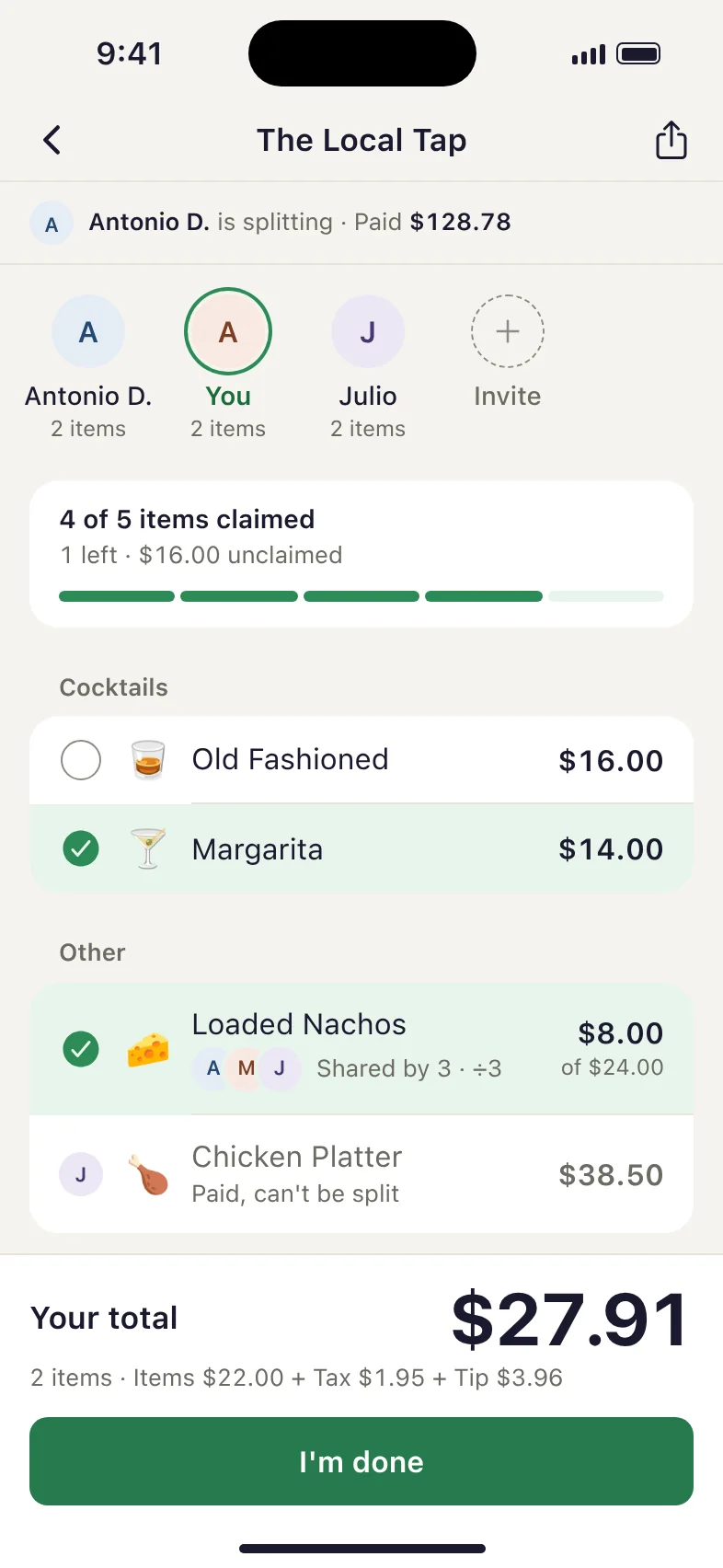
Claim screen where each person taps the items they ordered
3

Everyone claims their items

Each person taps what they had. Tax and tip split proportionally. Done.

Quick expenses
The everyday use case

No receipt? No problem.

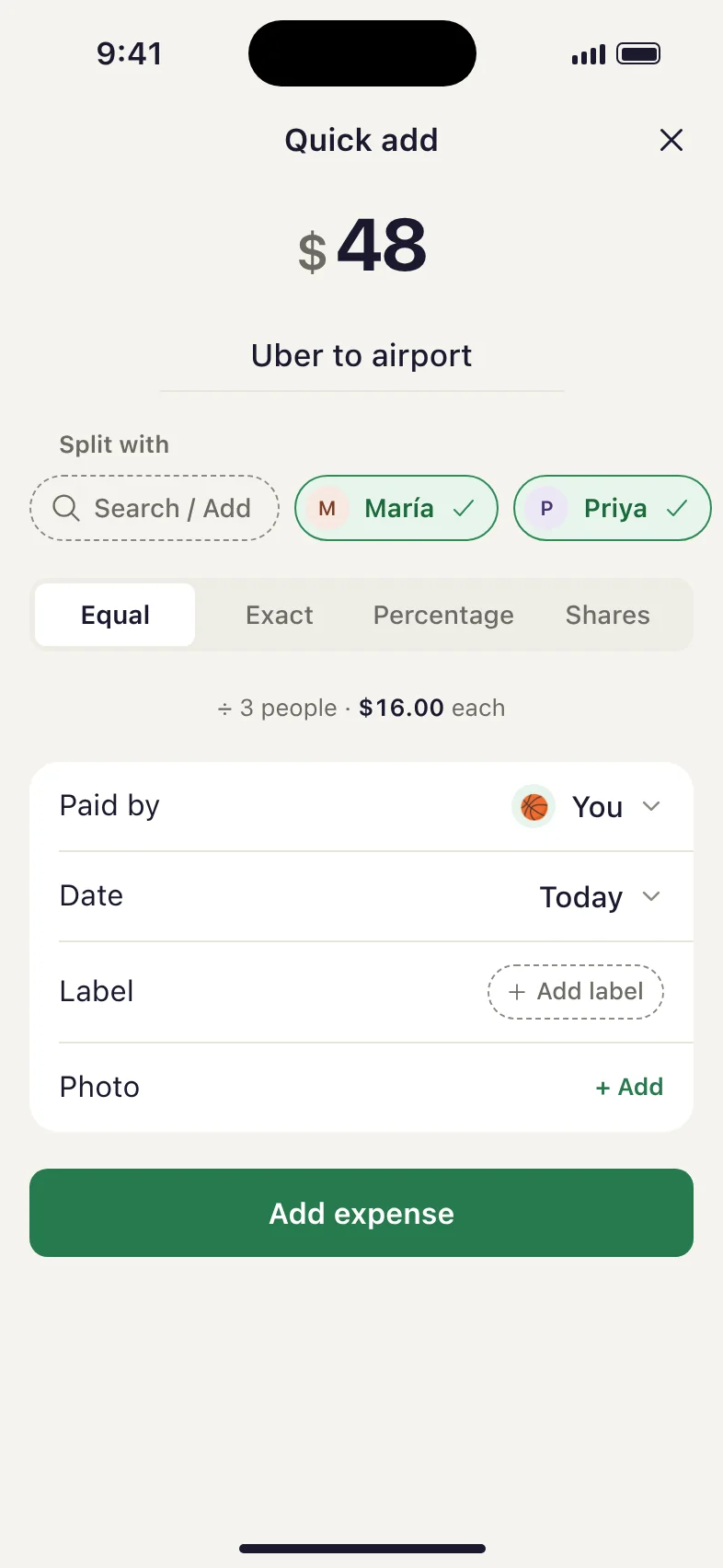
Paid for the Uber? Covered groceries? Spotted someone for lunch? Add it in 5 seconds. No receipt, no photos, no fuss. Splits tracks the balance so you both know where you stand.
Covered an Uber for the group
Bought groceries for the house
Paid for everyone's movie tickets
Split a utility bill with your roommate
Quick add screen: enter an amount, pick who is in, add the expense in 5 seconds
Even faster

Or just tell it what happened

Describe the expense in plain words (who, how much, how to split) and Splits does the math. No forms, no fields.

"Split $40 dinner with Jake" $20 each
9:41
Just tell me
Split $40 dinner with Jake
Try one
Uber $24 split with Sara Groceries $86, I paid for everyone
Just tell me
Split $40 dinner with Jake
Reading your split…
Just tell me
Split $40 dinner with Jake
Here's your split. Does this look right?
Dinner
Equal split · 2 people
Total$40.00
AYou$20.00
JJake$20.00
$40.00 ÷ 2 = $20.00 each
EditCreate split
Split created
$20.00 each · 2 people

Try it. Tap what you had.

Play the friend who got the link. Tap your items on the left and watch the payer’s dashboard update on the right.

9:41
Demo · you’re Alex
Sam split a bill from
Casa Luna Kitchen
$130.00 · 6 items
Tap what you had
JBurgerJake$24.00
SMargaritaSam$13.00
Your total$0.00
Items $0.00 + Tax $0.00 + Tip $0.00
You owe Sam $0.00
Your items, plus your share of tax and tip. Pay Sam however you like, then mark it as paid.

The friend’s view, in their browser. No app required.

9:41
Casa Luna KitchenLive
2/6Items
Collected $48.10 of $130.00 Paid by you
Summary

Alex hasn’t claimed anything yet. The Margherita pizza, Pasta al limone, Caesar salad and Tiramisu are unclaimed.

Unclaimed
Margherita pizza$18.00
Pasta al limone$22.00
Caesar salad$14.00
Tiramisu$9.00
Their share of tax & tip$18.90
Participants3 of 3

If nobody claims them, you cover the $81.90 (tax and tip included) and the split closes.

Close split · you cover $81.90 Ask people to claim

The payer’s view. See claims as they happen.

More than a receipt scanner

What keeps the money straight after the bill is split.
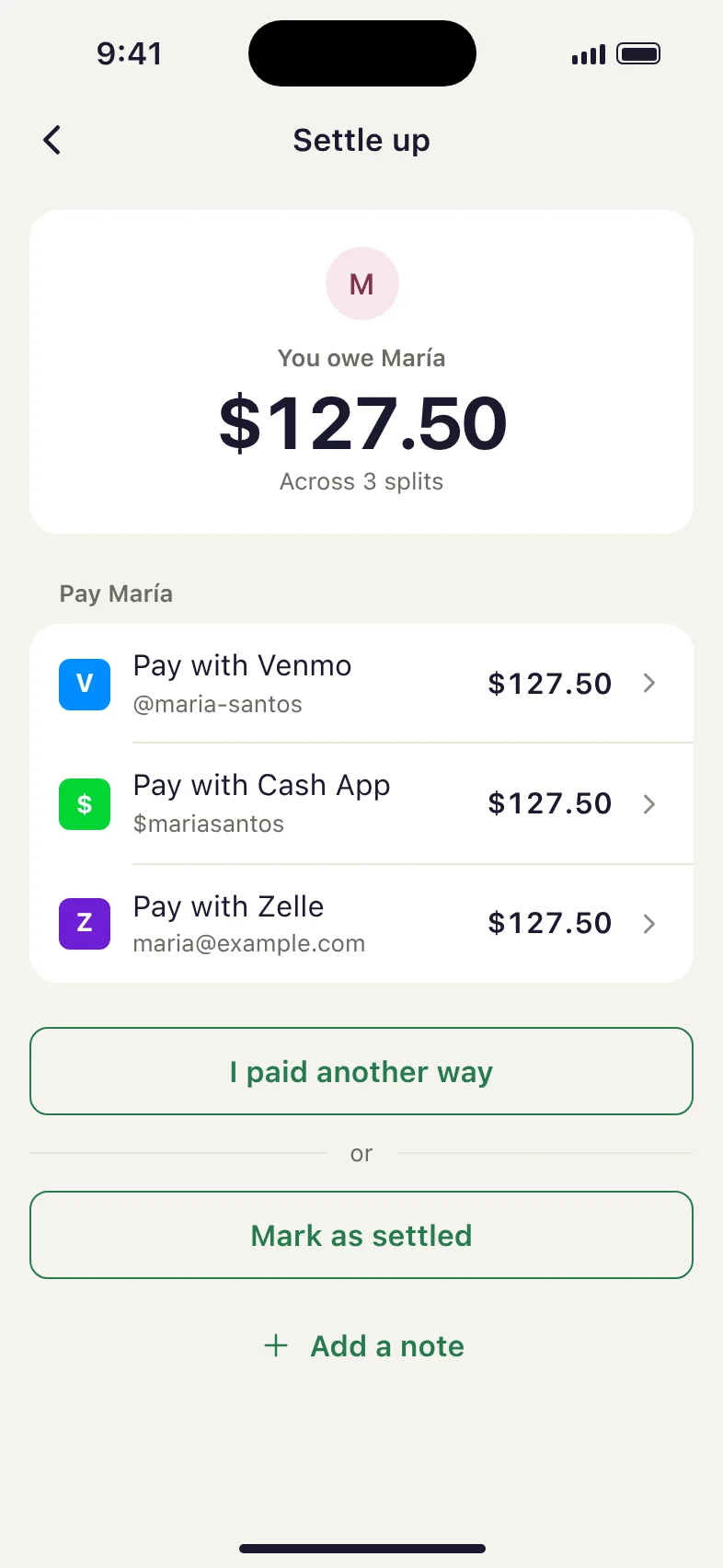
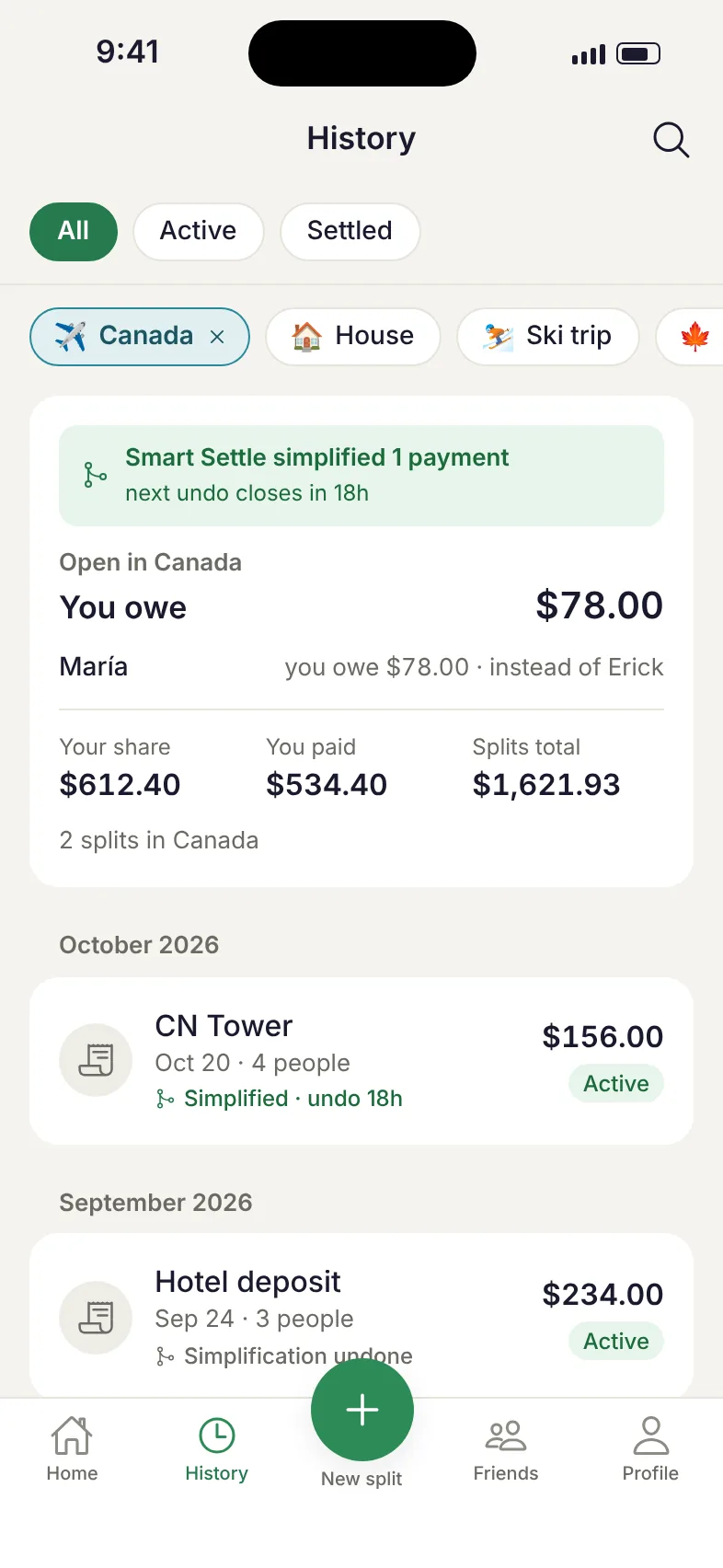
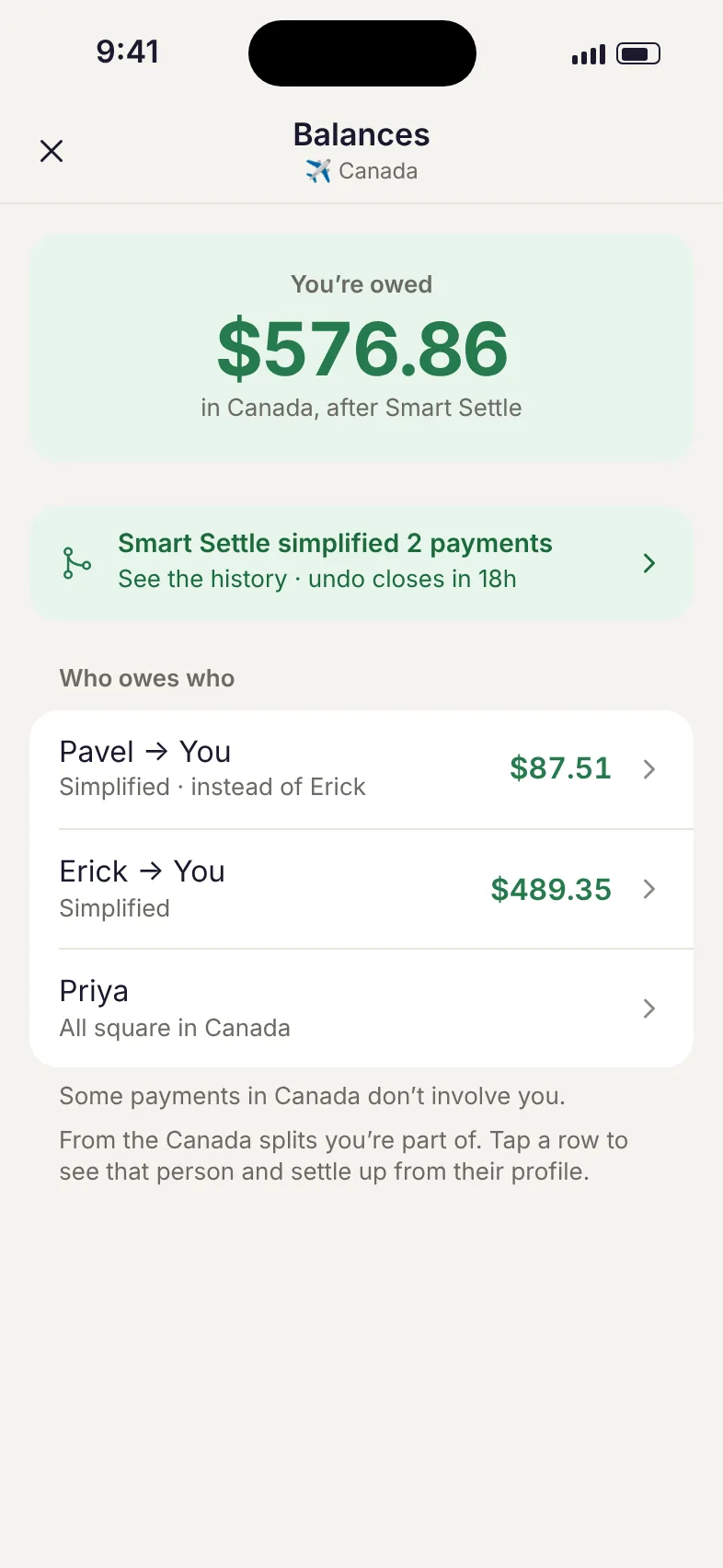
Splits home screen: your net balance, labels and the people you share with Settle up screen with Venmo, Cash App and Zelle options History filtered to one label, showing what you owe across that trip’s splits Balances for one label after Smart Settle, showing who owes who and which payments were simplified
Reminders that do the asking
Nudge a friend from their balance, or let Splits email the people who still owe. You don’t have to be the one chasing.
Split it any way
Equal, exact amounts, percentages or shares. Quick add handles the uneven ones too.
Always know what’s open
Your dashboard updates as friends claim their items, so you can see what’s still unclaimed and who has paid.

Splits works for everything

Not just dinner. Every shared expense, every kind of group.

Dinner with friends
Scan the receipt. Everyone claims what they ordered. Tax and tip split proportionally. No debate, no drama.
Roommates
Track rent, utilities, groceries, household supplies. Always know who's up and who owes. No more dry-erase board math.
Group trips
10 days, 15 receipts, 6 people. One app settles everything. Airbnb, meals, activities: all tracked, all fair.
Couples
Split shared expenses fairly without the spreadsheet. Groceries, subscriptions, date night: always know where you stand.
Events & group gifts
Collecting for a birthday party, bachelor trip, or office lunch? Share one link. Everyone pays their share. You stop chasing.
41%

of Americans have had tension with a friend over money.

Ever Venmo-requested someone three times and felt terrible about it? Splits handles the awkward part so you don't have to. $0 owed = $0 awkwardness.

Source: LendingTree, 2025 Friends and Money Report (2,000 U.S. adults, July 2025)

Built different

Three things you get with Splits

No limits. No paywalls.
Unlike other apps, we don't limit your expenses or lock basic features behind a subscription. The full experience is free.
Your friends don’t need the app.
Share a link. Your friends open it in any browser and see their share. On a receipt, they tap what they had first. No download, no account, no friction.
AI does the work.
Point your camera at any receipt. Our AI reads every item, price, tax, and tip in seconds. You snap and share. That's it.

Questions?

No. Whoever creates the split uses the app. Everyone else gets a link that opens in any browser. On a receipt split, they add their name and tap the items they had. On a quick expense, they tap their name in the list and see their share and how to pay.
Take a photo of the receipt and Claude, an AI model made by Anthropic, reads the items, prices and tax, plus the tip if it’s printed. It usually takes a few seconds. You check the list and fix anything before you share it. If the items don’t add up to the receipt’s subtotal, Splits flags it so you can review it.
When you scan, the receipt photo. When you use Just tell me, your message, your name and the names of your friends on Splits, so it can tell who you mean. When you see an AI summary of a split, the names, items and split title. All of it goes to Anthropic to be processed, and Splits asks for your permission before using any of these. Our Privacy Policy has the details.
Most printed receipts. Amounts are shown in US dollars, and Splits doesn’t convert other currencies yet.
On a receipt split, by what each person claimed. If you had 30% of the food, you pay 30% of the tax and tip. On a quick expense, the whole amount is split the way you choose.
When several people claim the same item, its cost is divided equally between them.
The person who paid covers it. On a receipt split, once everyone else has paid, the creator or the payer can close the split, and anything left unclaimed stays with the payer.
Yes. Use Quick add: enter the amount, pick who’s in and choose how to split it: equally, by exact amounts, by percentage or by shares. You can also mark someone else as the person who paid.
Type what happened in a sentence, like “Dinner was $60 with Jake and Sara, split equally”, and Splits sets up the split for you. You review it before saving.
Splits keeps one running balance with each friend across every split and quick expense, so you always know who owes who. Settling up brings it back to zero.
Open a friend’s balance or a split and tap Settle up or Pay. Splits opens Venmo or Cash App for you, or shows your friend’s Zelle details. Splits never moves money itself. You can also record a payment made in cash or another way.
Labels group splits that belong together, like a trip or a shared home, so you can see the balances for that group in one place.
Within a label, Smart Settle cuts down the number of payments. If Ben owes you and you owe Clara the same amount, Ben can pay Clara directly. The label’s owner turns it on, and it only includes people with a Splits account. Ben and Clara get a notice, and anyone whose money moved can undo it within 24 hours, as long as the new payment hasn’t been made.
You can nudge a friend from their balance or send a reminder for a split. Splits also emails people who still owe, starting 10 days after a split and never more than once every 15 days. Reminder and monthly summary emails have an unsubscribe link.
Yes, Splits is free.
Not yet. Friends on Android can still open any split link in their browser.
A photo is kept with its split, and anyone with the split’s link can see it. It’s deleted when the split is deleted, or when you delete your account if you created the split.
Go to Profile, then Delete account. Your name, email, phone number and payment handles are removed. Splits you shared with others stay for them, with your name shown as “Deleted User”.

Done chasing payments.

Download Splits and start splitting bills today.

Download on the App Store

Get product updates, including the Android launch

You're on the list. We'll email you about new features and updates.

Free. No credit card required.